Business
apps that
work together
Tadbirix
 Tadbirix.
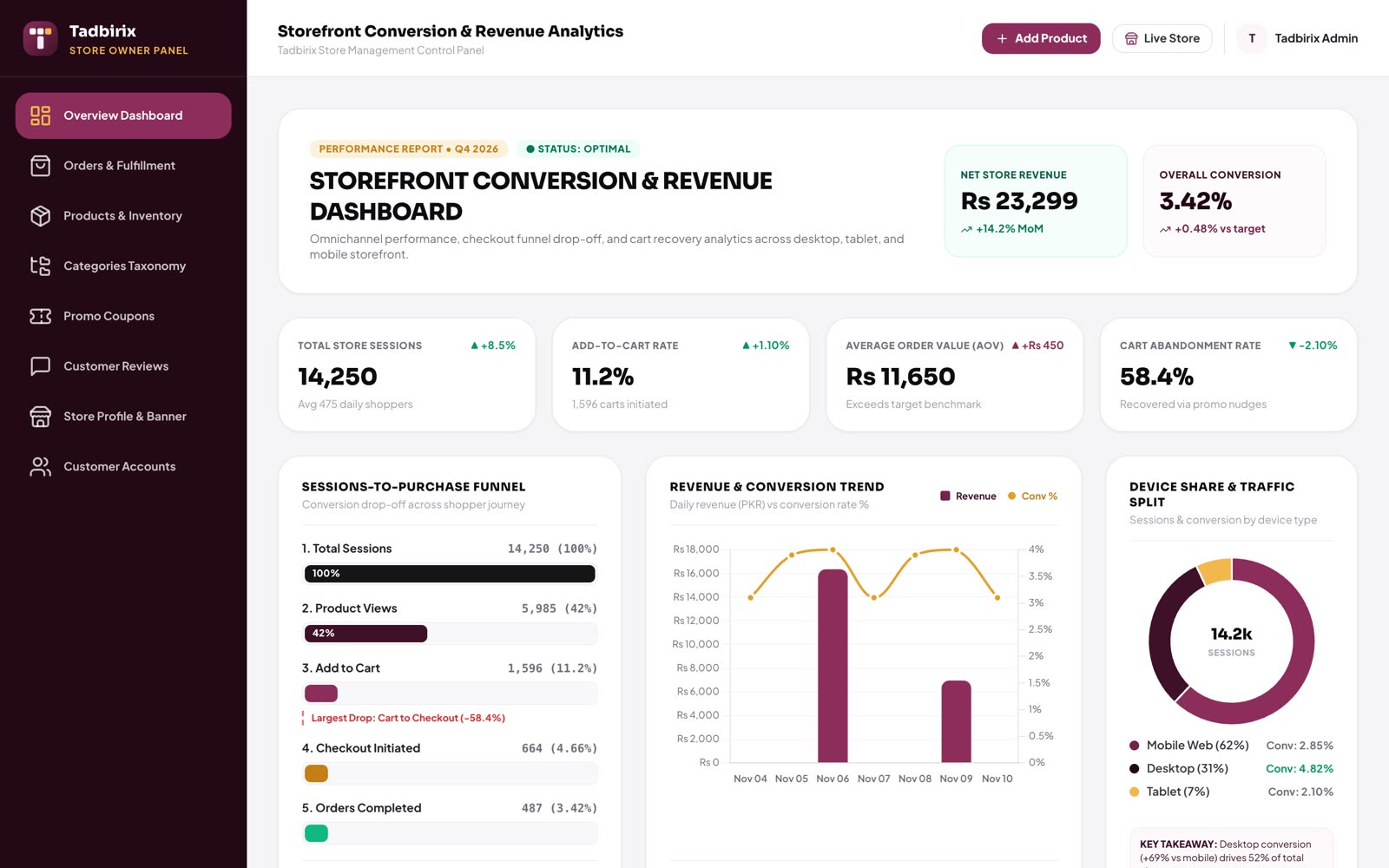
Stock is money sitting on a shelf
Too much and your cash is stuck. Too little and customers walk away. Guessing costs you both ways. Tadbirix shows you the real numbers, so every order you place is the right one.
See everything
Every product and its stock in every location, without walking to the godown.
Never run out
Low-stock alerts tell you what to reorder before the shelf is empty.
Stop the leaks
Staff roles and a full history of every movement show where stock goes.
Buy smarter
Sales trends and top sellers show what to stock more of, and what to stop buying.
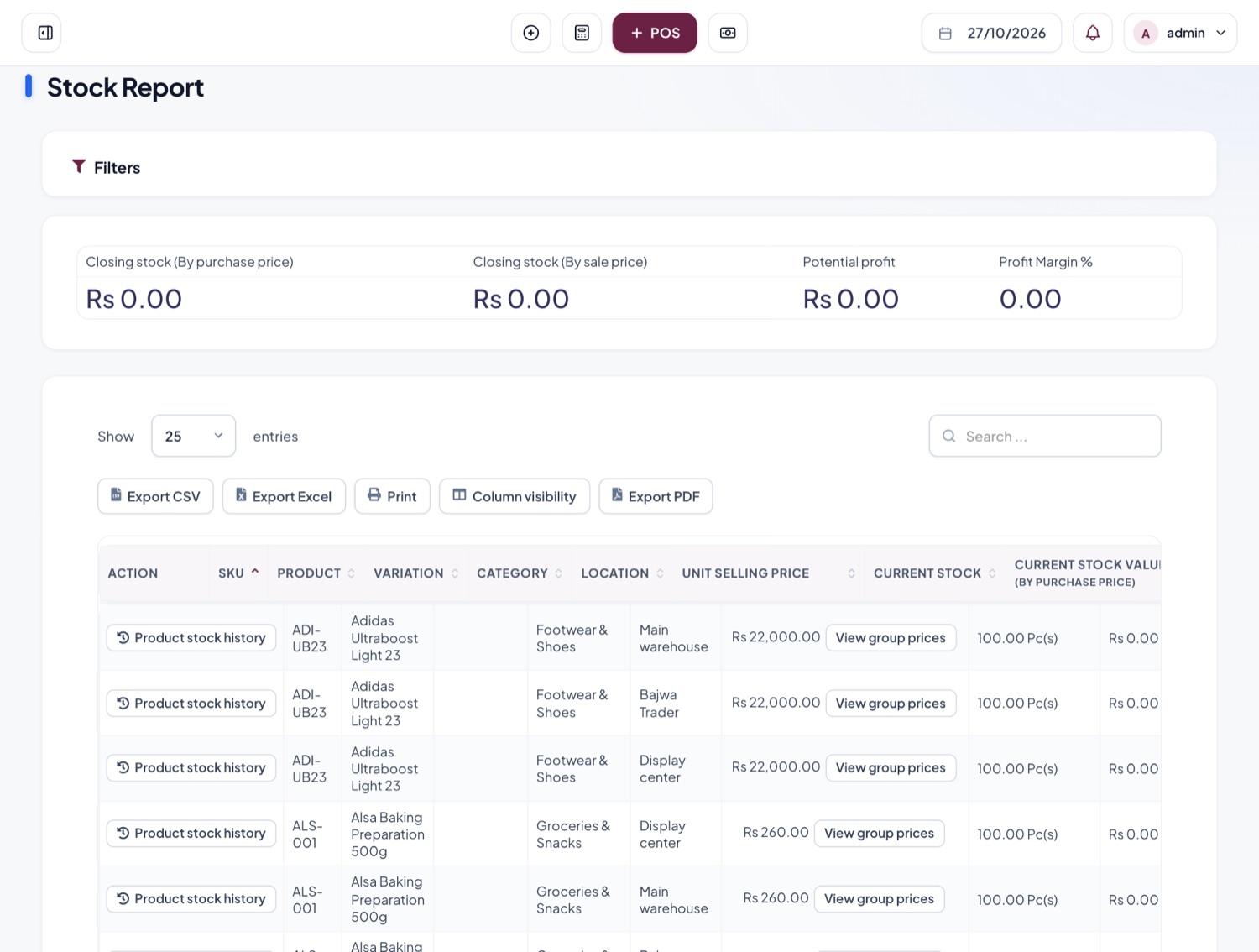
One system for every product you own
Every product, price and stock level
- Stock, price and status for each item at a glance
- Search and filter a big catalogue in seconds
- Variants such as size, colour and capacity

Stock in every branch and warehouse
- Each store and warehouse keeps its own count
- Transfer goods between locations, counts update at both ends
- Stock value per location
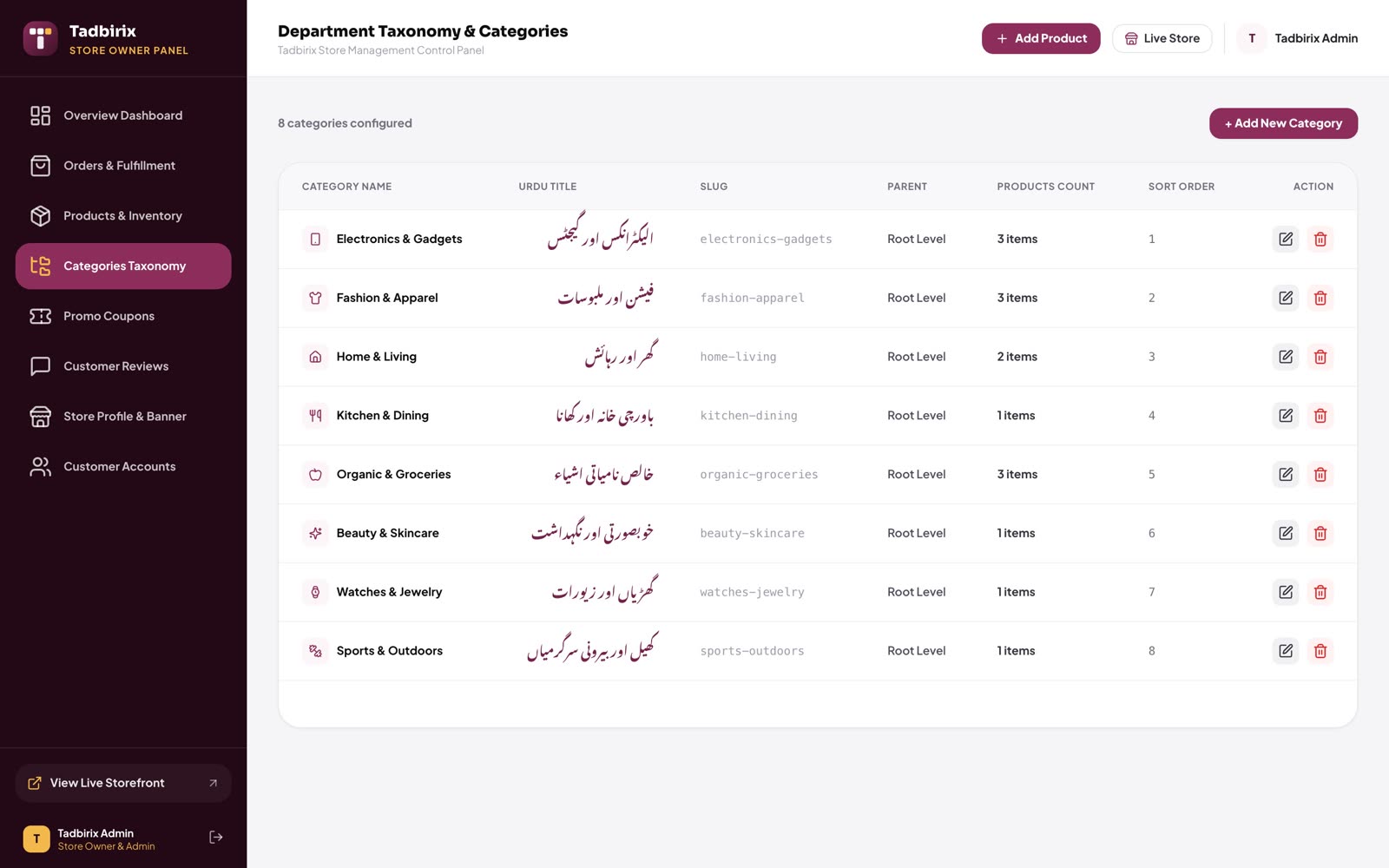
Organised the way you think
- Departments and sub-categories with icons
- Category names in English and Urdu
- Choose the order customers see them in
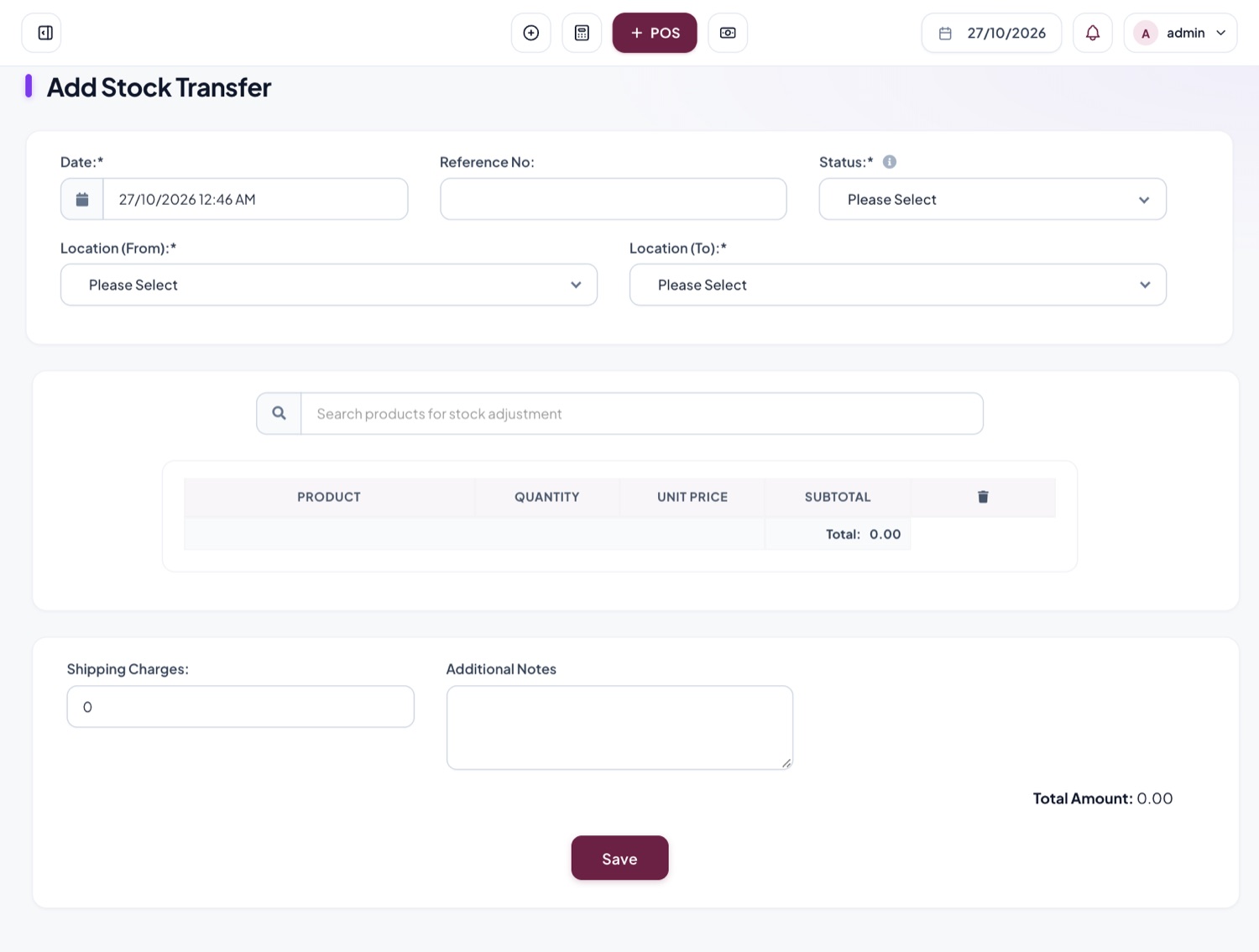
Move goods without losing track
- Send stock from one location to another
- Record shipping charges and notes
- A full history of every product movement
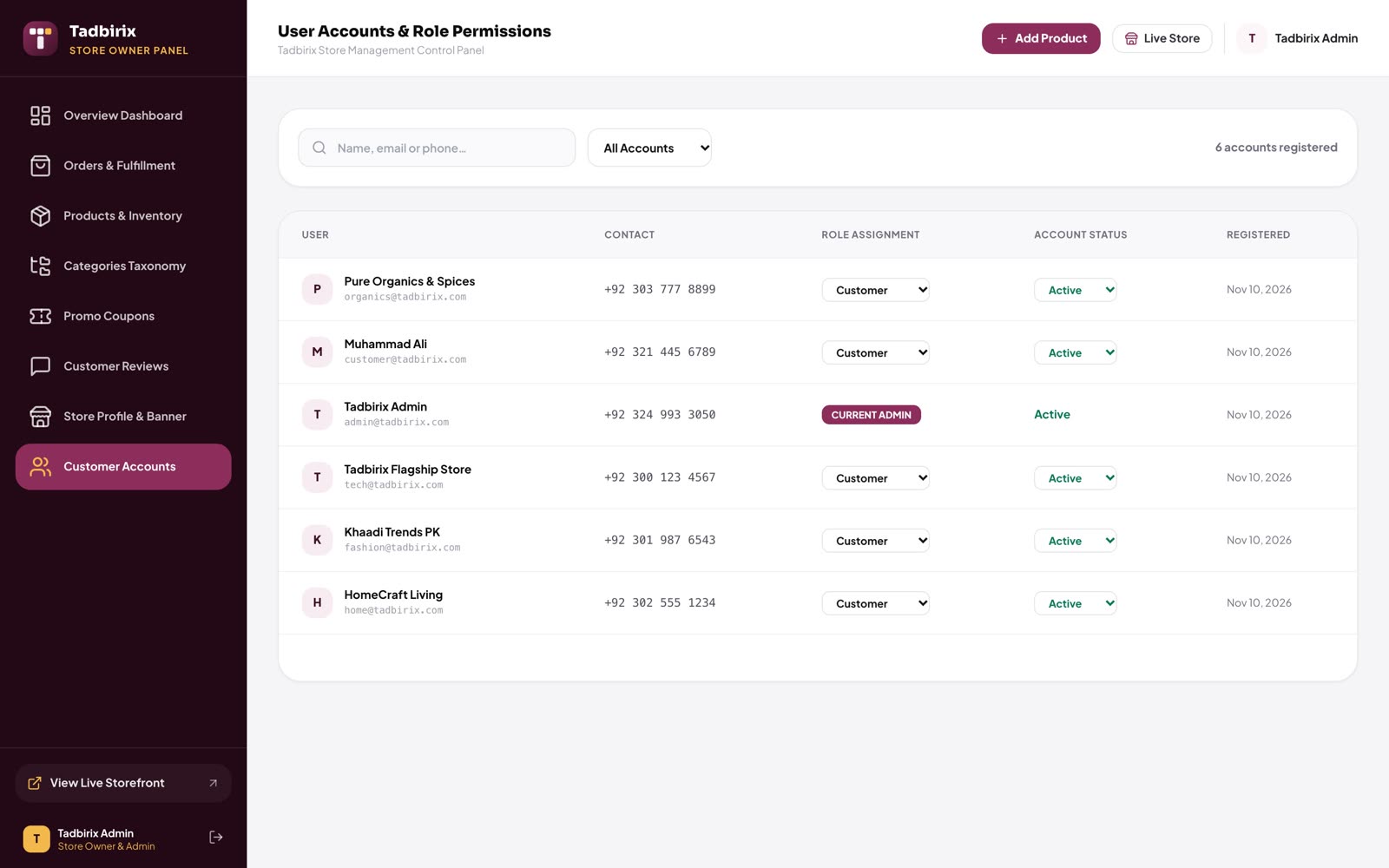
The right access for everyone
- Separate roles for admins, staff, sellers and customers
- Switch an account on or off in one click
- Everyone sees only what they need
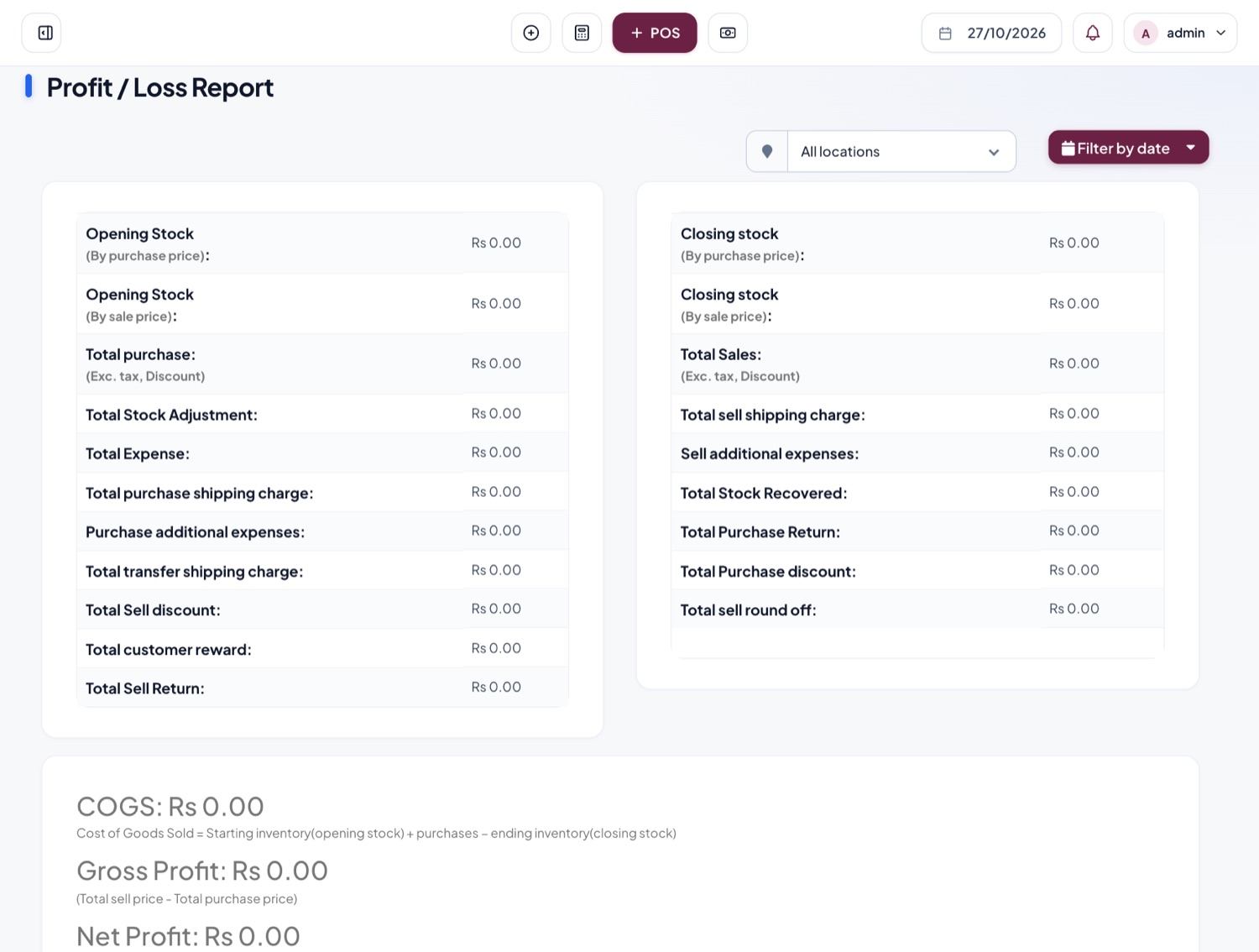
See what you actually earned
- Profit and loss for any date range
- Stock, tax and expense reports
- Export to Excel, CSV or PDF
Everything you need
to keep stock right
Low-stock alerts
Set an alert level per product and see what needs reordering before it runs out.
Multi-location stock
Every shop and warehouse keeps its own count, and you see them all together.
Purchases and suppliers
Record purchases, receive stock into the right place and track what you owe each supplier.
Barcodes
Print barcode labels for any product and scan them at the counter.
Lots and expiry dates
Know which batch expires first, for pharmacies and grocery.
IMEI and serial numbers
Track every phone or device on its own.
Spreadsheet import
Bring hundreds of products in at once from a template.
Coupons and promotions
Percent or fixed discounts with usage limits and start and end dates.
On your phone
Stock, sales and alerts in the Tadbirix owner app, wherever you are.
From the stock register to Tadbirix
| Task | Before | With Tadbirix |
|---|---|---|
| Checking stock | Calling the godown or walking to the shelf | Search the product, see every location |
| Reordering | Finding out when it has run out | An alert before it runs out |
| Stock counts | A day of counting and still not matching | Counts update with every sale and transfer |
| Missing items | No idea where they went | A history of every movement and who made it |
| Best sellers | A guess | Sales trends for any dates |
Works with the rest of Tadbirix
Before you start
Yes. The demo is free. We walk you through it with products like yours and answer every question.
No. Fill in the spreadsheet template and import them all at once. We can help you with it during setup.
Yes, it covers Tadbirix POS at the counter and Tadbirix e-commerce online, and we set up the connection for your business. If you use another system, tell us which one and we will quote it.
Yes. Tell us what you need and you get a fixed quote before any work starts. No surprise bills.
We train your team and stay on for free support after launch. You can reach the developers directly on WhatsApp.
See your stock clearly, for the first time
Book a free demo. We show you the system with products like yours and send a fixed quote for your setup.