
Run the whole business, one app at a time.
Start with POS & Inventory for your counters and stockroom, and follow it all from your phone with the mobile app. A dashboard, CRM and more are on the way, all sharing the same products, customers and sales.
- Free to start
- Nothing to install
- Works with your scanner and printer
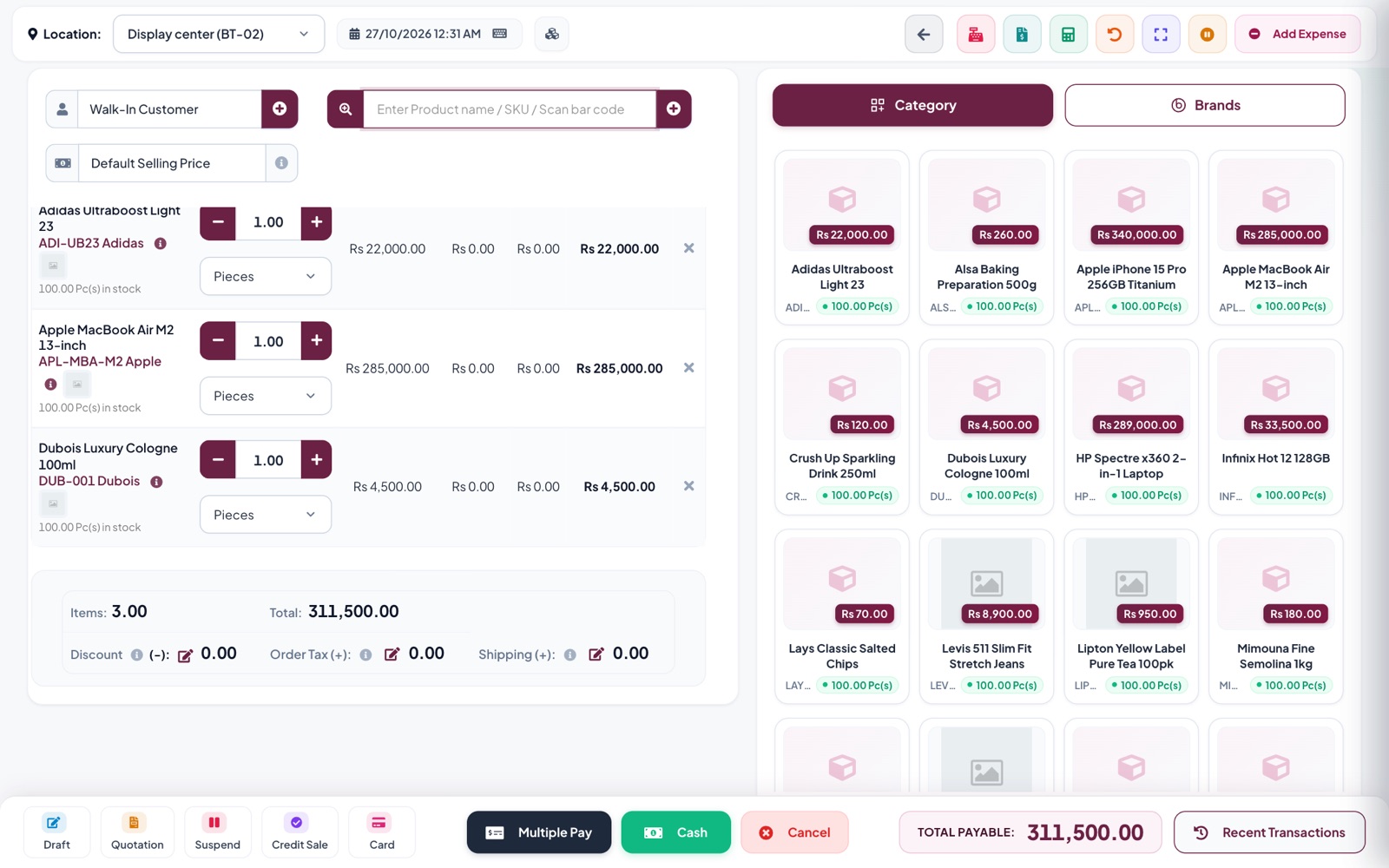
Works with the equipment you already have
- Barcode scanners
- Receipt printers
- Label printers
- Windows and Mac
- Tablets
- Any modern browser
One family of apps, one account
Every Tadbirix app shares your products, customers and sales. Start with what you need today and switch on the rest as you grow, without entering anything twice.
- POS & InventorySell at the counter and keep stock right across every store and warehouse. Available now
- POS DashboardLive sales and stock figures for every branch on one screen. Coming soon
- Mobile AppSales, stock, dues and profit from your POS, with alerts, on your phone. Available now
- CRMKeep track of leads, follow-ups and loyal customers. Coming soon
- HR & PayrollAttendance, leave and salaries for your team. Coming soon
- eCommerceAn online store that shares stock with your shops. Coming soon
- WebsiteA simple website for your business. Coming soon
Everything a shop runs on
From the first scan at the counter to the profit report at month end.
Checkout that keeps the line moving
- Scan a barcode or search by name and SKU
- Cash, card or several payments on one bill
- Suspend a bill and pick it up later
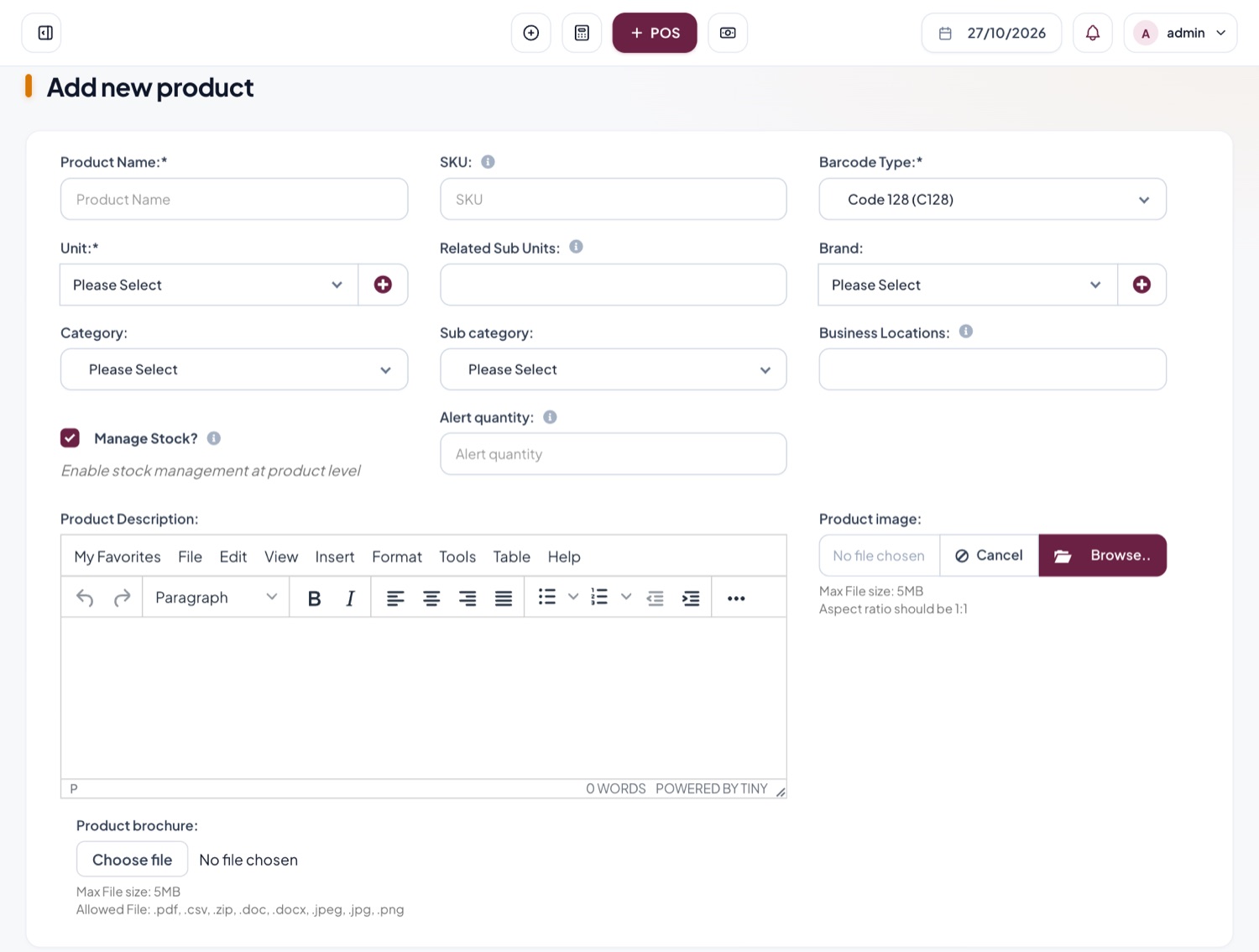
Your whole catalogue in one place
- Units, brands, categories and variations
- Print barcode labels for any product
- Import hundreds of items from a spreadsheet
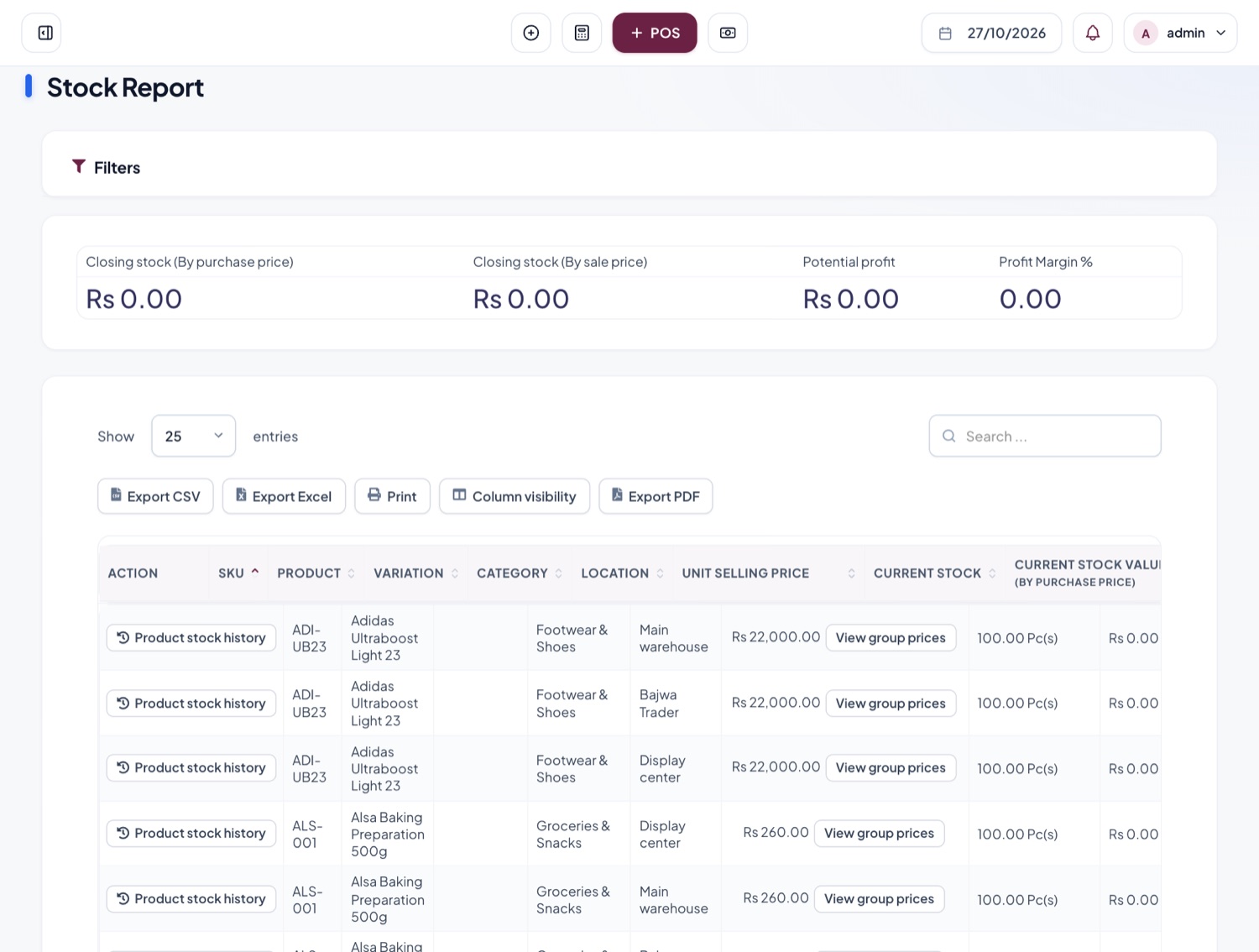
Know what is on every shelf
- Stock and value for each location
- Alerts when an item falls below its level
- Full history of every product movement
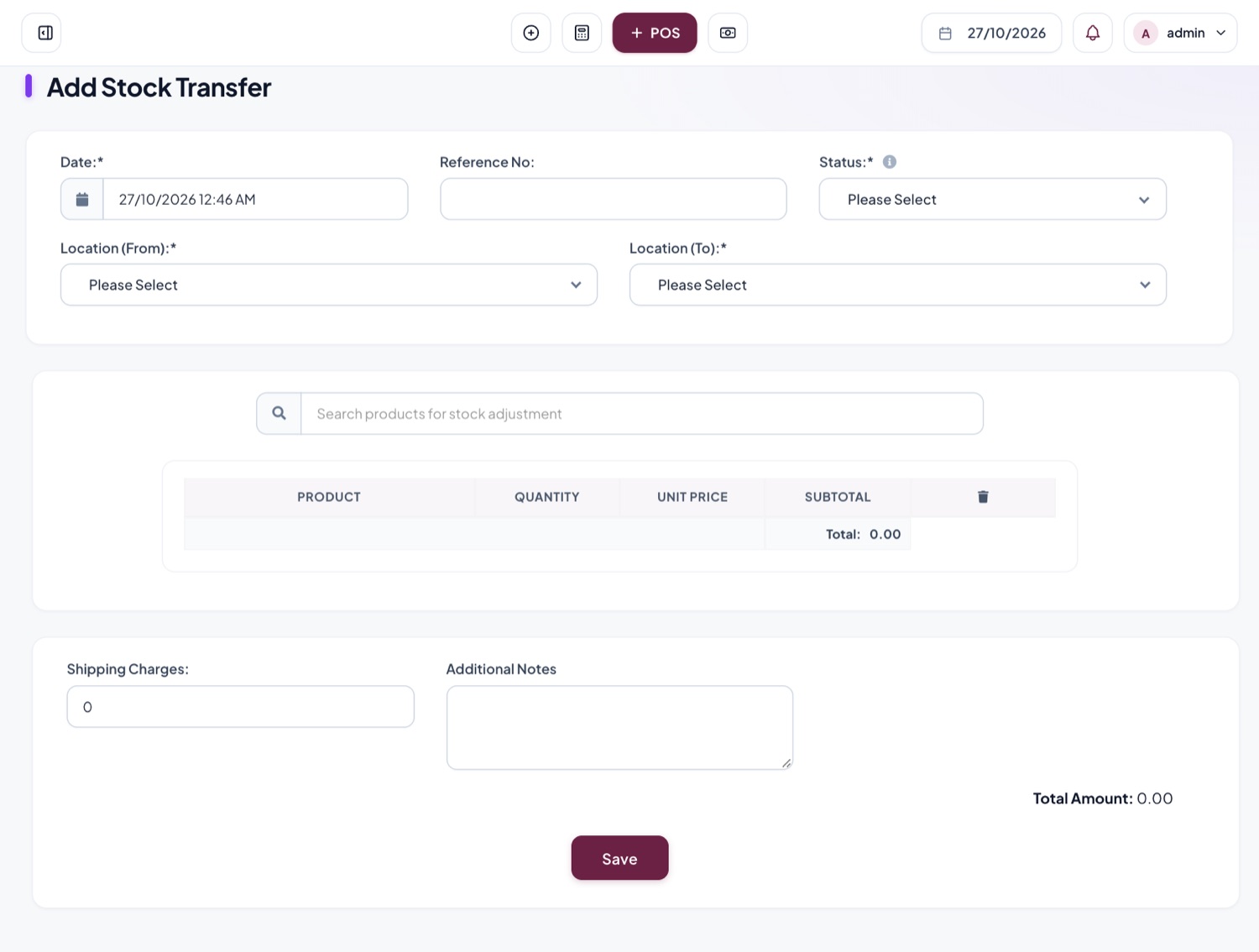
Move goods between stores and warehouses
- Send stock from one location to another
- Record shipping charges and notes
- Counts update at both ends
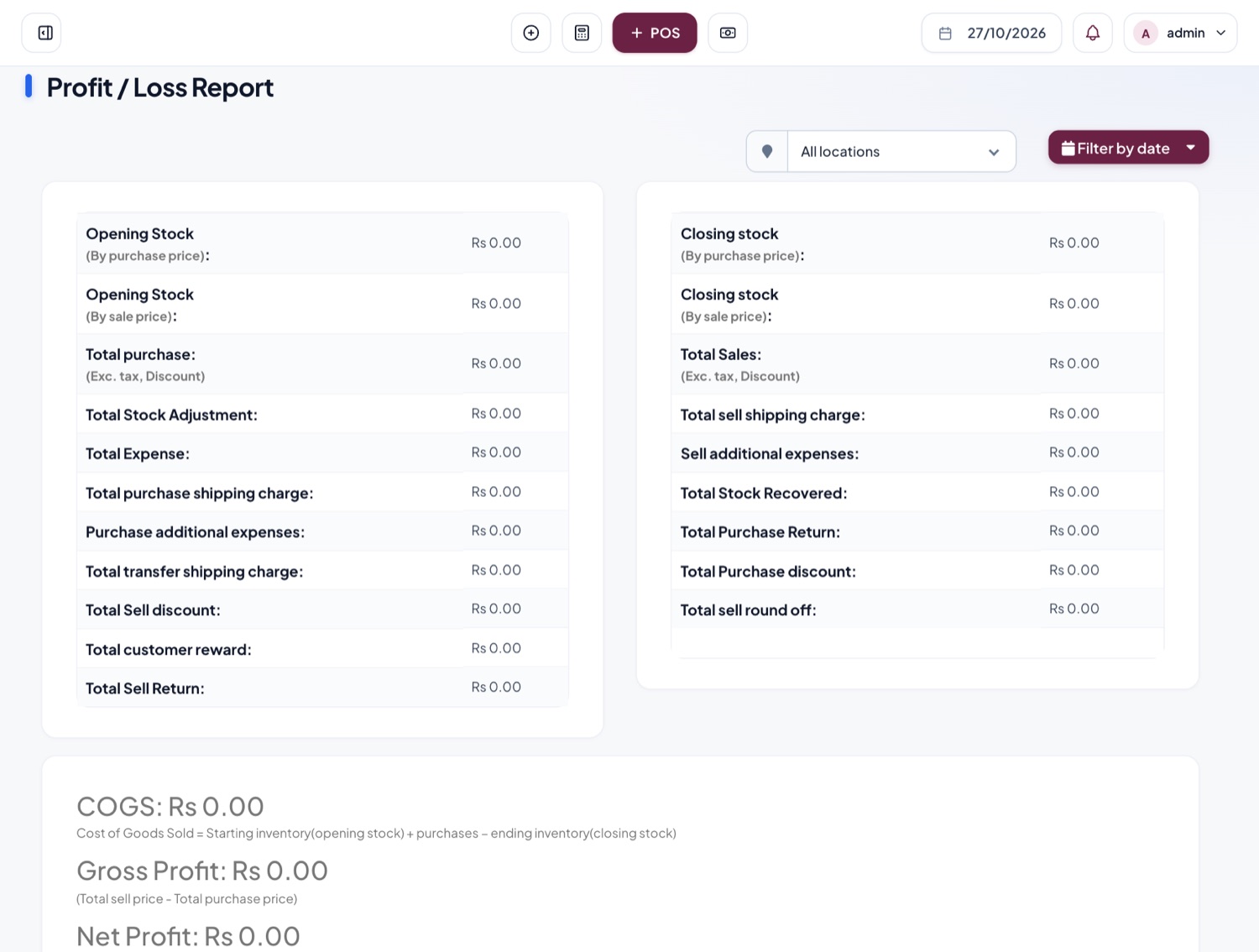
See what you actually earned
- Profit and loss for any date range
- Stock, tax, expense and register reports
- Export to Excel, CSV or PDF
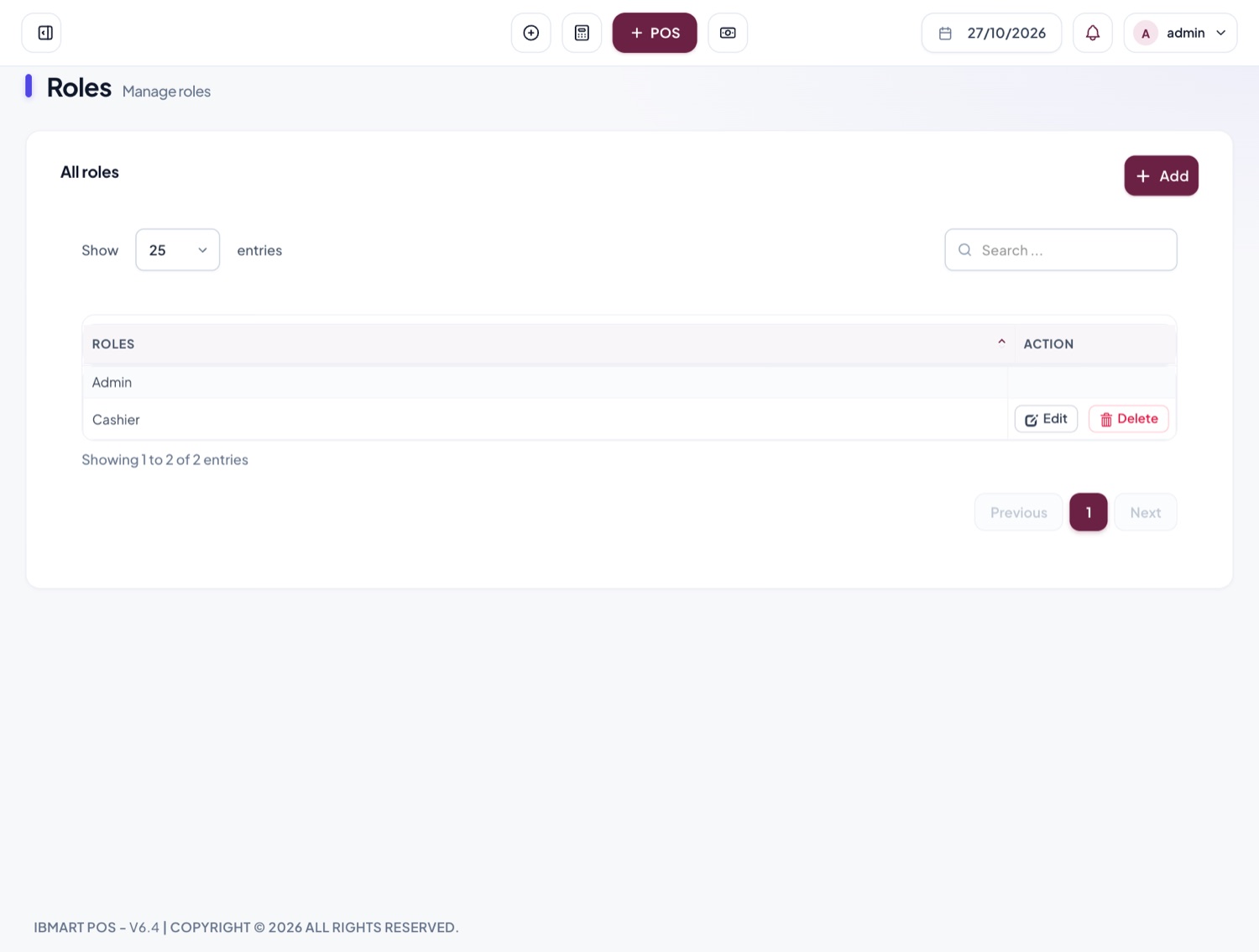
Give everyone the right access
- Roles such as Admin and Cashier
- Choose exactly what each role can see and do
- A cash register for each cashier, closed every shift
Built for the details
The things that make the difference in a real shop, already included.
Many locations, one account
Each store and warehouse keeps its own stock and register, and you see them all together.
Wholesale and retail prices
Switch price lists at the counter.
Credit customers
Sell now, collect later, and see who owes what.
Barcode labels
Print labels for any product from the system.
IMEI and serial numbers
Track each phone or device on its own.
Lots and expiry dates
Know which batch expires first.
Expenses
Rent, salaries and bills, sorted by category.
Reward points
Give regular customers points to spend.
Put the register book away
What changes when the counter, the stockroom and the accounts share one system.
Your business stays yours
- A private account. Your products, staff and sales are never visible to another business.
- Access by role. Cashiers see the counter; owners see the profit.
- A record of changes. See who created or edited a sale, and when.
- Take your data with you. Export lists and reports to Excel, CSV or PDF.
Switching takes an afternoon
- Register your business and add your locations. Guide
- Import your products from a spreadsheet. Guide
- Enter the stock you already have on the shelves.
- Make your first sale at the counter. Guide
Made for the shops you see every day
From a single counter to a chain of stores with a warehouse.
Be first to try what's next
Leave your email and pick an app. We will write once, when it is ready for you to use.
Questions shop owners ask
Can't find your answer? Ask us or message us on WhatsApp.
Do I need to install anything?
No. Tadbirix runs in the web browser on any computer or tablet. Sign in and start selling.
Can I use my barcode scanner and receipt printer?
Yes. Scanners that type into the computer work straight away, and receipts print through your normal printer setup.
I have hundreds of products. Do I type them all in?
No. Fill in the spreadsheet template and import them all at once, then enter the stock you already have.
Is my data kept separate from other businesses?
Yes. Every business has its own account, with its own staff, products and sales.
What happens when the new apps launch?
They will use the same account and data you already have, so you can switch them on without starting again.