
Mobile App
Keep an eye on the business when you are away from the counter. See how today is going, who owes you, what is running low and what you earned, and get a notification when something needs you.
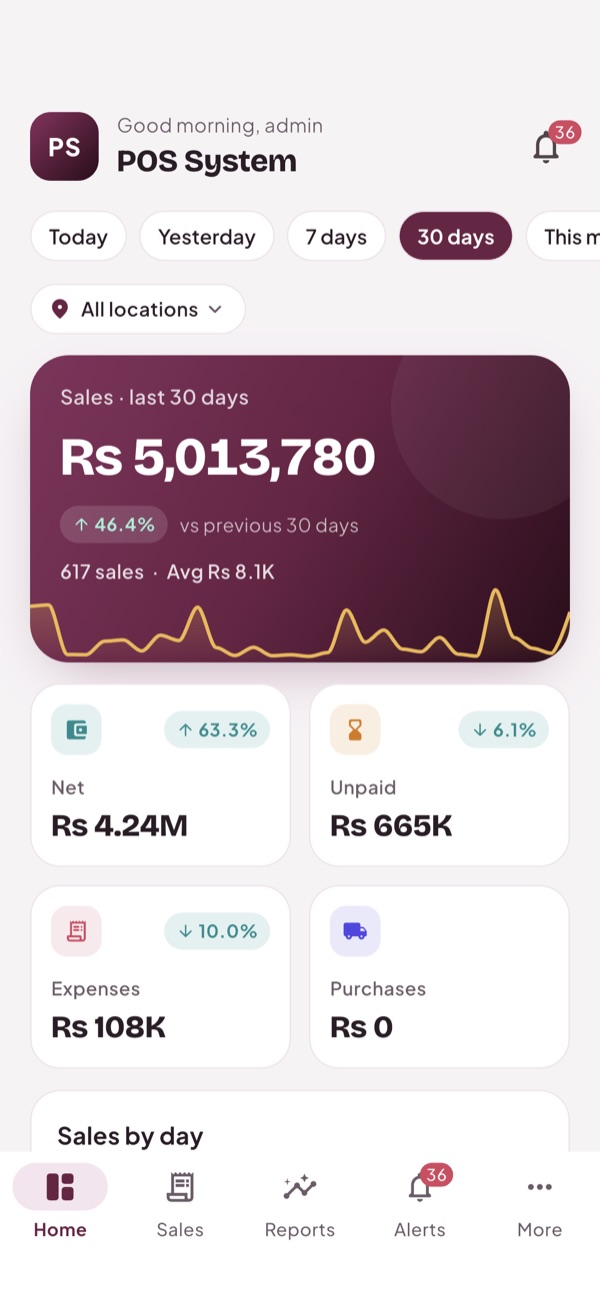
Take a look
Real screens from the app.
Everything included
Your day at a glance
Sales, net, unpaid, expenses and purchases for today, this week, this month or the year, with the change from the period before.
Clear charts
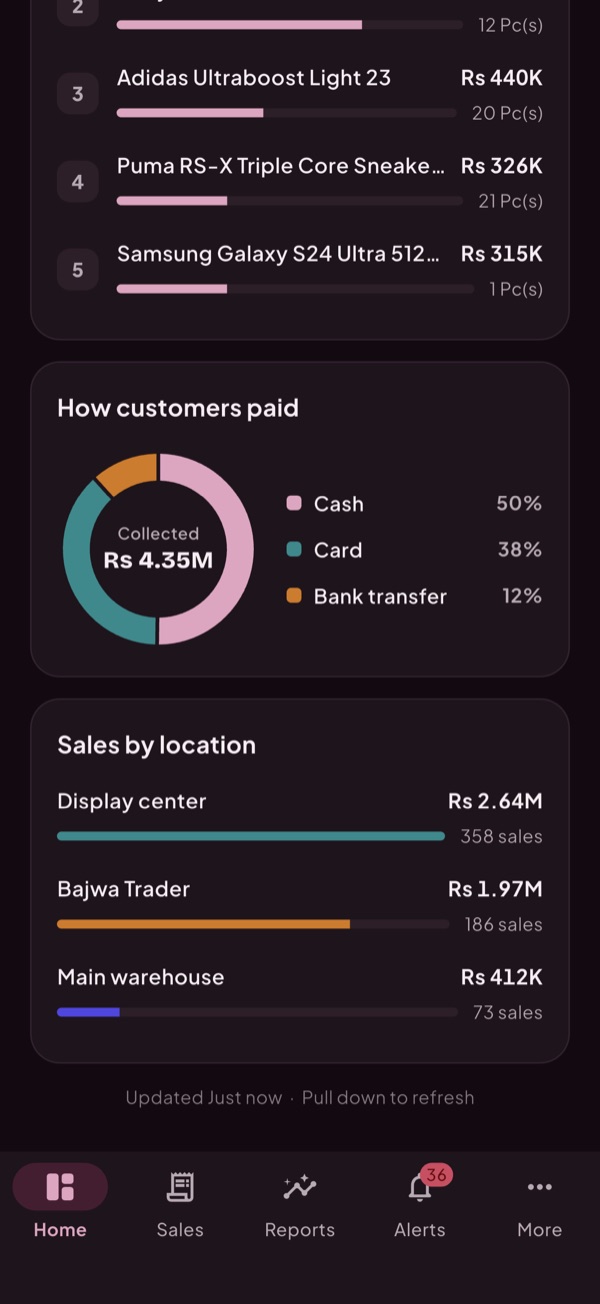
Sales by hour, day or month, payment methods, best sellers and sales by branch.
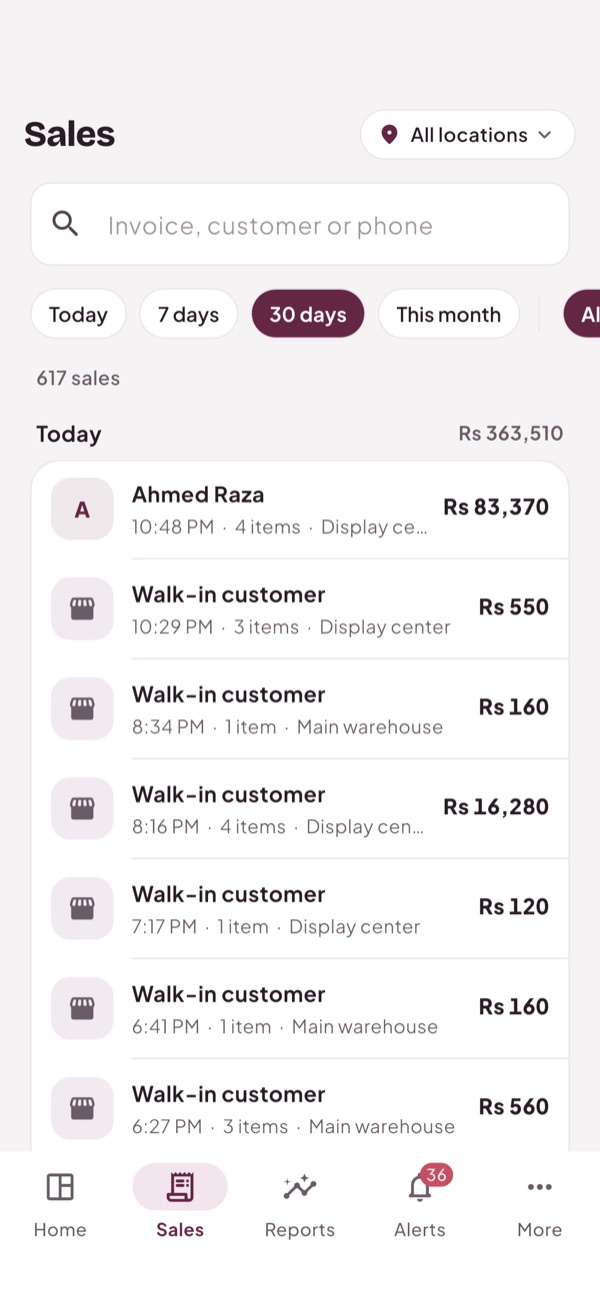
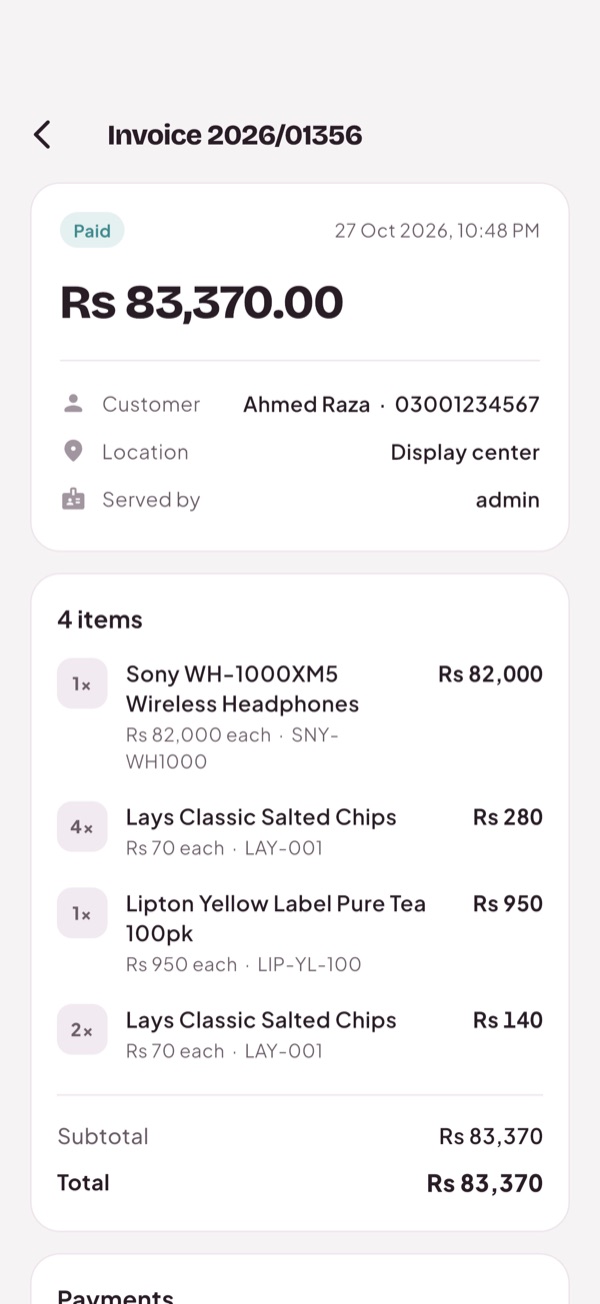
Every sale
Search by invoice, customer or phone number, and open any sale to see its items and payments.
Stock and dues
What is running low, which customers owe you and which suppliers you owe.
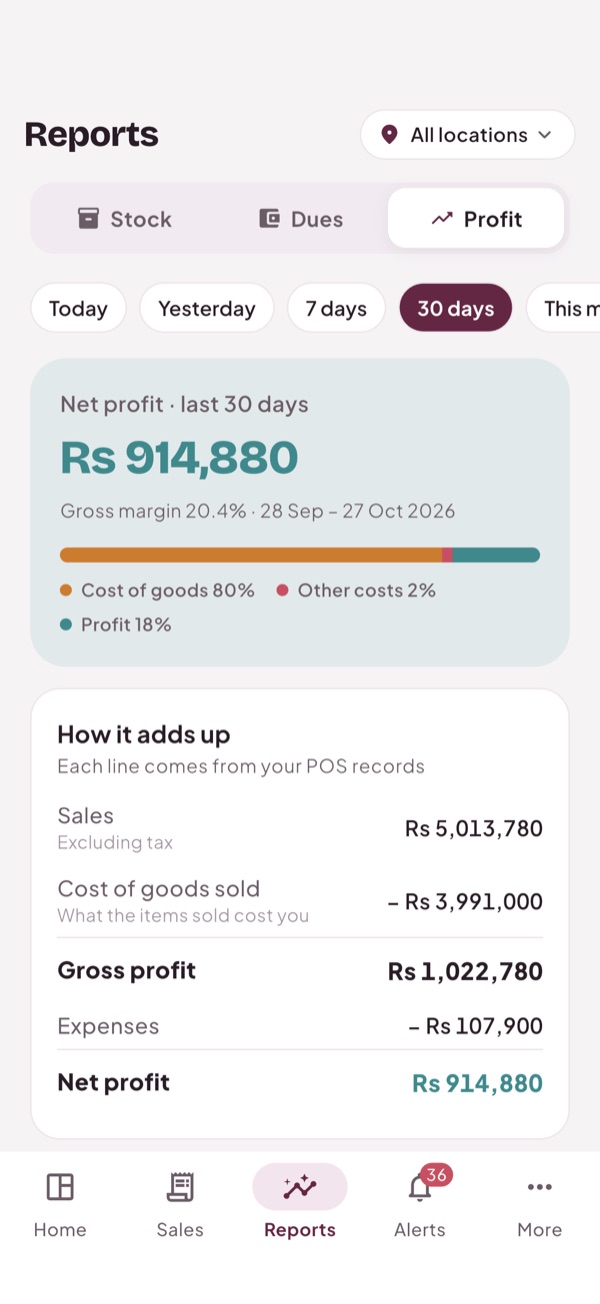
Profit
Sales, cost of goods, expenses and net profit, matching the Profit / Loss report in your POS.
Notifications
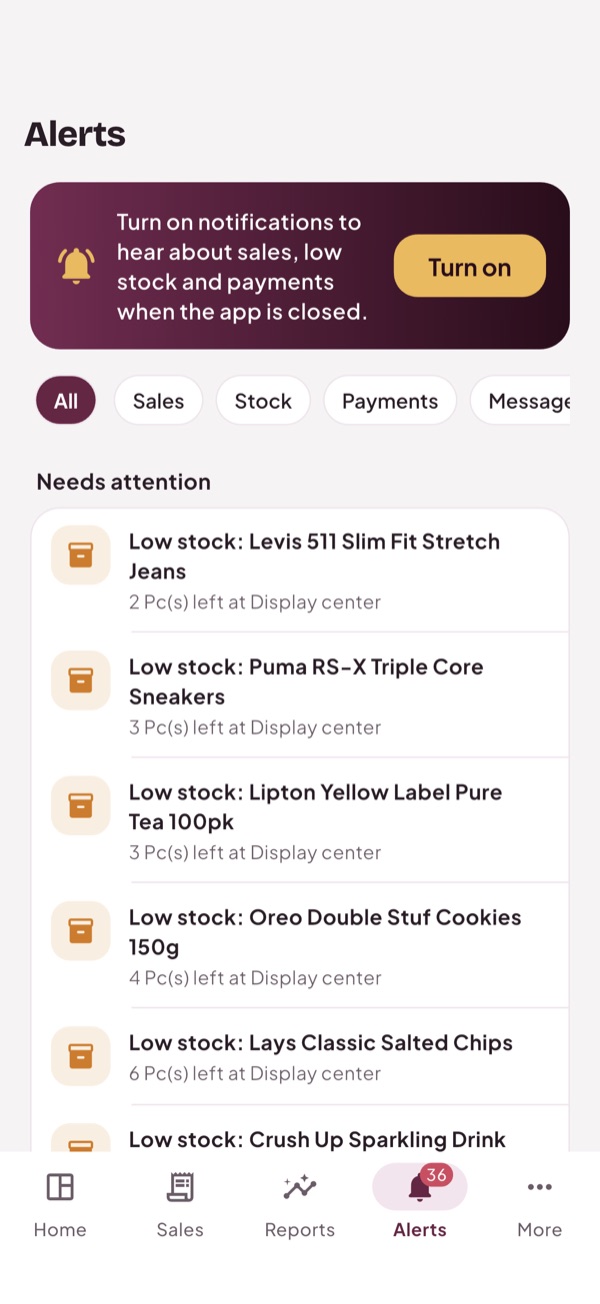
New sales, low stock, payments due and messages from the POS. Choose which ones you get, and set a minimum sale amount.
Every branch
See all locations together or one at a time.
Safe for your staff
The app only shows what each person's POS role allows. It can only view; nothing in the POS is changed from the phone.
Light and dark
Follows your phone's setting, or pick one.
Up and running in a minute
No setup on your side: the app uses the POS you already have.
Install the app
Tadbirix for Android and iPhone (iOS 15 or later).
Sign in
Use the same username and password you use for the POS.
Allow notifications
Choose which alerts you want under More, Notifications.
Questions
Something else? Ask us.
Who can use the app?
Anyone with a POS user whose role can see the dashboard. Owners usually do; you can give it to managers too.
Can I make sales from the app?
Not yet. The app is for keeping an eye on the business. Sales are still made at the POS.
How quickly do notifications arrive?
Your phone checks for news in the background, usually every 15 minutes on Android. iPhone decides when to check based on how often you use the app. While the app is open, it checks each time you come back to it.
Is my data safe?
The app talks to your own POS over a secure connection, and your sign-in is kept in the phone's secure storage. Signing out removes it.